Patch me if you can –
Automate OT patching
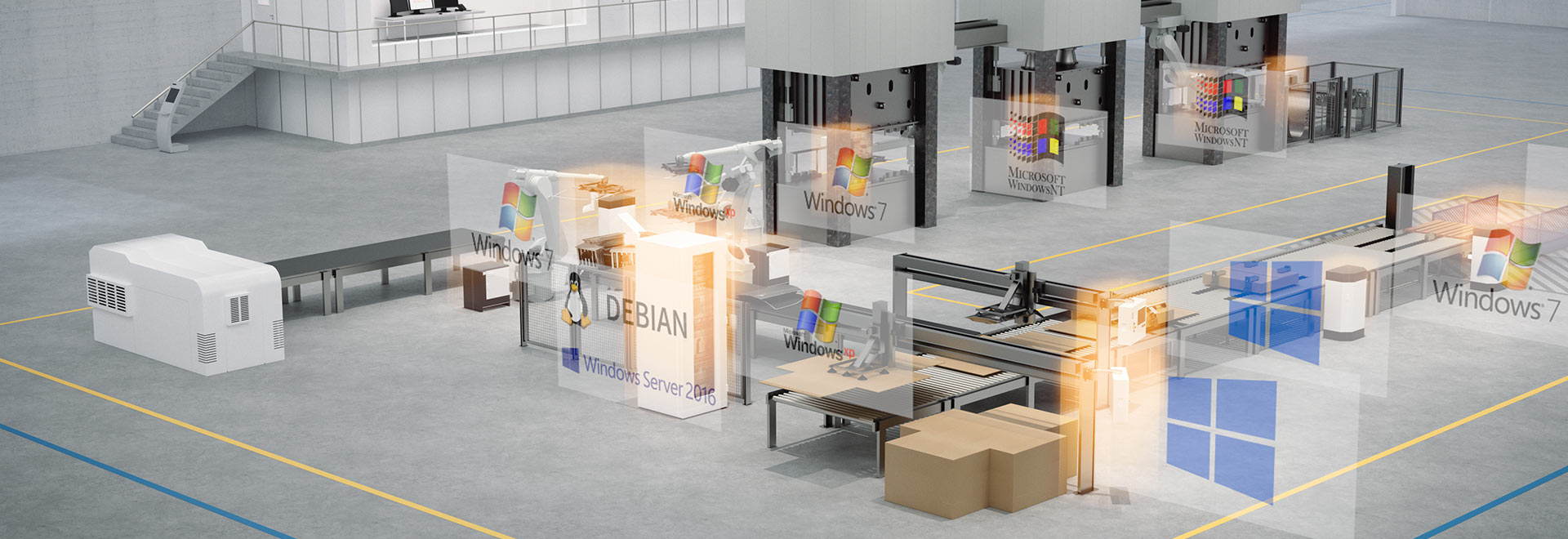
Updating Windows clients is a complex and time-consuming task, especially in larger OT environments. With ondeso SR, you are able to manage Windows IoT updates automatically and in line with production requirements.
Benefit from our Windows Client Management Software for all common Operating Systems:
In addition, updates to embedded systems, such as Windows 7 Embedded Updates and Windows XP Embedded Updates, can be reliably managed with ondeso SR.
An update can be assigned individually for each group or even each device so that ongoing operation is not disrupted. This enables standardised and flexible management, regardless of whether security patches, new features or performance improvements are involved.

“Once you have understood the basic specifics of ondeso SR, the application is always the same and you no longer have to differentiate between Windows 7 or Windows 10. For me, it’s always the same and I can use it to manage the heterogeneous world that we have very well.”
ondeso customer and automation technology operations engineer at an automobile manufacturer

End of Life Management
We know that machines and systems and their industrial PCs are in use for many years. That’s why ondeso SR also supports you in the end-of-life management of these industrial PCs, for example Windows 7 Embedded end of life clients.
Find out here how you can manage these systems in a controlled manner:
Software End of Life Management
Automated Software Deployment
A system error, a hardware upgrade or even malware – sometimes software has to be reinstalled. ondeso SR enables you to automate this task and also supports you with operating system installations:
You can find more information on automated software distribution here:
Automated Software Deployment
Success Story: Patch Management for OT Clients with ondeso SR and WSUS
A chemical company wanted to optimise the patch management of its OT clients. Self-developed scripts were time-consuming and error-prone, so ondeso SR with WSUS was used.

Whether it’s the implementation of complex IT security concepts or the centralised maintenance of OT clients. With our software, you can maintain an overview and take a standardised approach. Watch this video for more information.

The History of Microsoft Patch Management
How did patches, updates and upgrades come about and why should you even fix what isn’t broken? This article will shed some light on the subject.
Why ondeso SR Is the Right Choice
Contact us so we can find out together whether our software is the right tool for your needs.
Your Next Steps if You’re Interested in ondeso SR

We show you ondeso SR live and give you a comprehensive overview of the features, tailored to your use cases and specific requirements, so you can see it in action.
Request a demo.

In the PoC, you test ondeso SR together with us in your real OT environment. You will directly experience how inventory, patch management, backup and automation can be implemented in your operations.

After the PoC, training and rollout begin. If the prerequisites are in place, installation can be completed within a few hours, after which your OT systems can be managed reliably.
Experience the Benefits Yourself
I am here to assist you.
Christoph Ackermann
Head of Professional Services
Phone: +49 175 3334006

Where does your company stand today
and where is room to grow? 
Our OT Maturity Check provides you
with a well-founded assessment.
You need to load content from reCAPTCHA to submit the form. Please note that doing so will share data with third-party providers.
More InformationYou are currently viewing a placeholder content from Turnstile. To access the actual content, click the button below. Please note that doing so will share data with third-party providers.
More InformationYou are currently viewing a placeholder content from reCAPTCHA. To access the actual content, click the button below. Please note that doing so will share data with third-party providers.
More InformationYou are currently viewing a placeholder content from Hubspot Embedded Content. To access the actual content, click the button below. Please note that doing so will share data with third-party providers.
More InformationYou are currently viewing a placeholder content from HubSpot. To access the actual content, click the button below. Please note that doing so will share data with third-party providers.
More InformationYou are currently viewing a placeholder content from Hubspot Meetings. To access the actual content, click the button below. Please note that doing so will share data with third-party providers.
More Information